Contractors
Purpose/Overview
Why it’s useful:
- Streamlines collaboration with external locators.
- Ensures accurate ticket updates and compliance with excavation safety requirements.
- Reduces manual work by automating ticket assignment and response handling.
Navigation Path:
To access this feature, go to: System Management > Administration > General > Contractors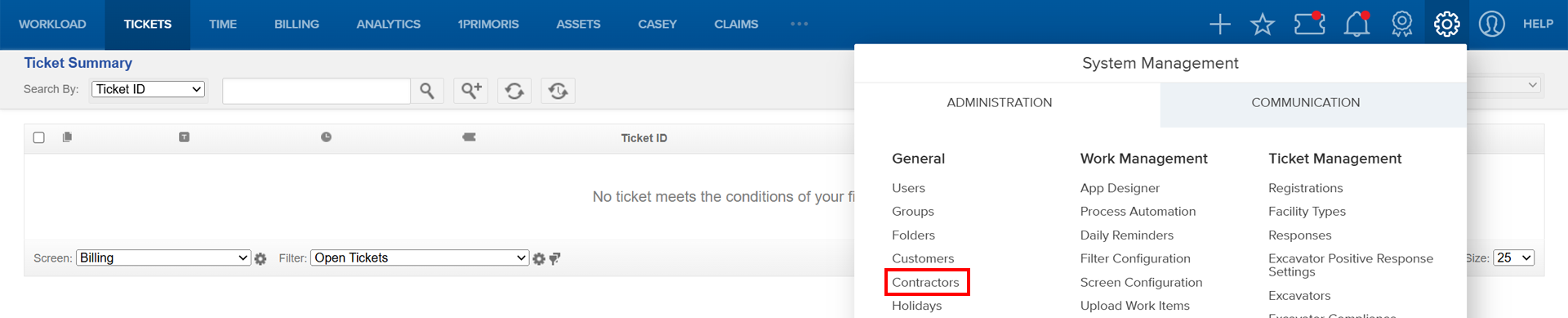
Things to Know:
Permissions: Requires administrative access to System Management.
Platform: Fully supported on desktop browsers (Chrome, Edge).
Limitations:
- Contractors must update their systems with the latest authentication code after resets.
- Callback number configuration is required for sending positive responses to excavators.
Key Benefits/Use Cases:
- Assign tickets to contractors: Improves efficiency and reduces internal workload.
- Enable contractors to send positive responses: Ensures compliance and timely communication with excavators and one-call centers.
- Generate contractor response reports: Provides contractors with codes and authentication details for system integration.
How It Works:
Follow these steps to setup or enable this feature:
Add a Contractor
- On the top menu bar, click System Management > Administration > General > Contractors.
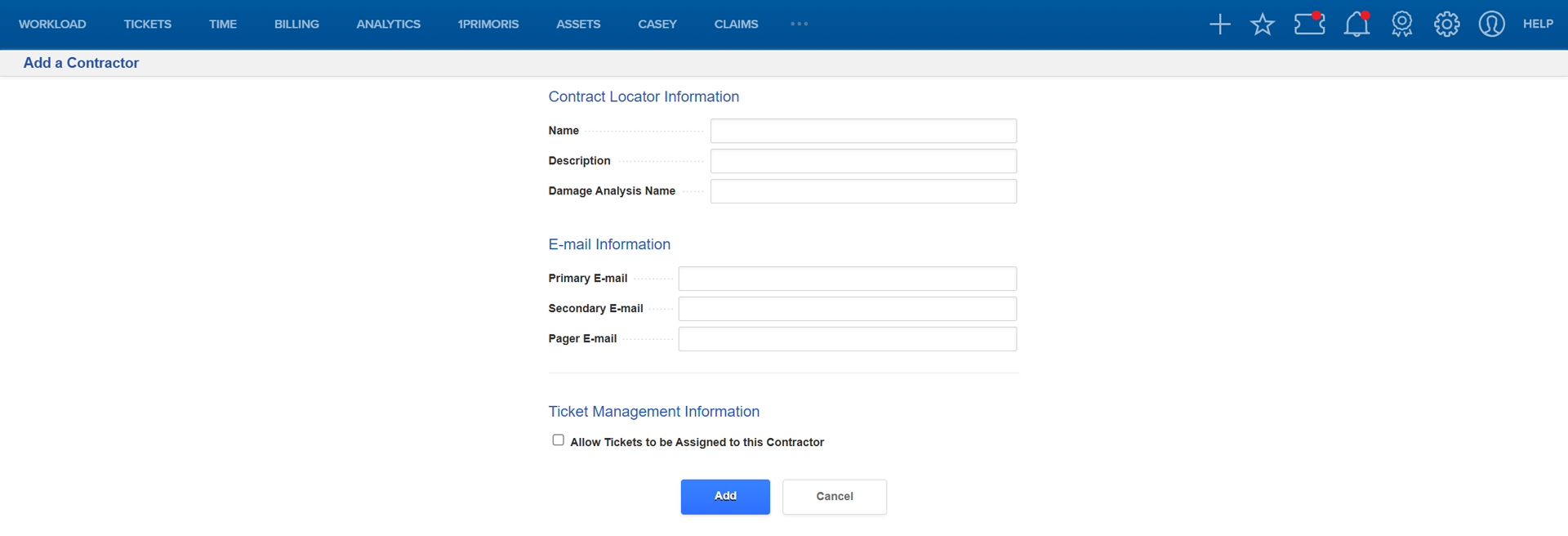
- On the Contractor Summary page, click Add a Contractor.

- Fill in the required fields and click Add.
Modify a Contractor
- From Contractor Summary, click the contractor name.

- Click Modify this Contractor and update fields as needed.

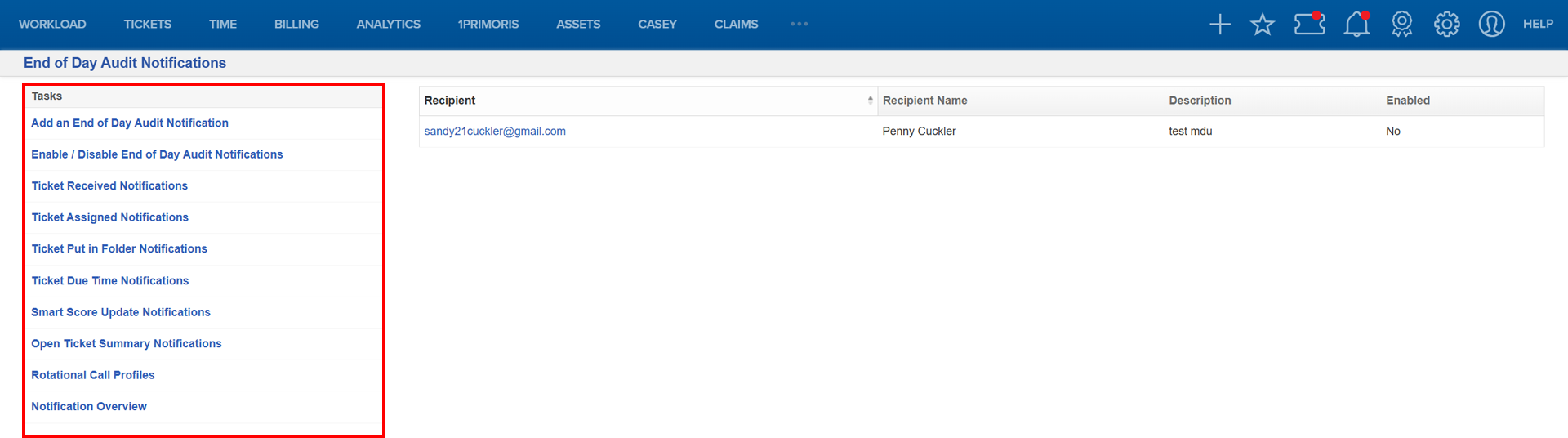
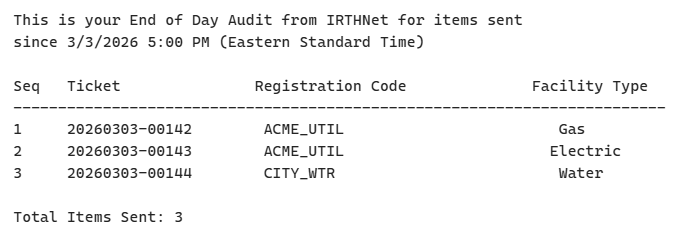
Send End of Day Audit Notifications
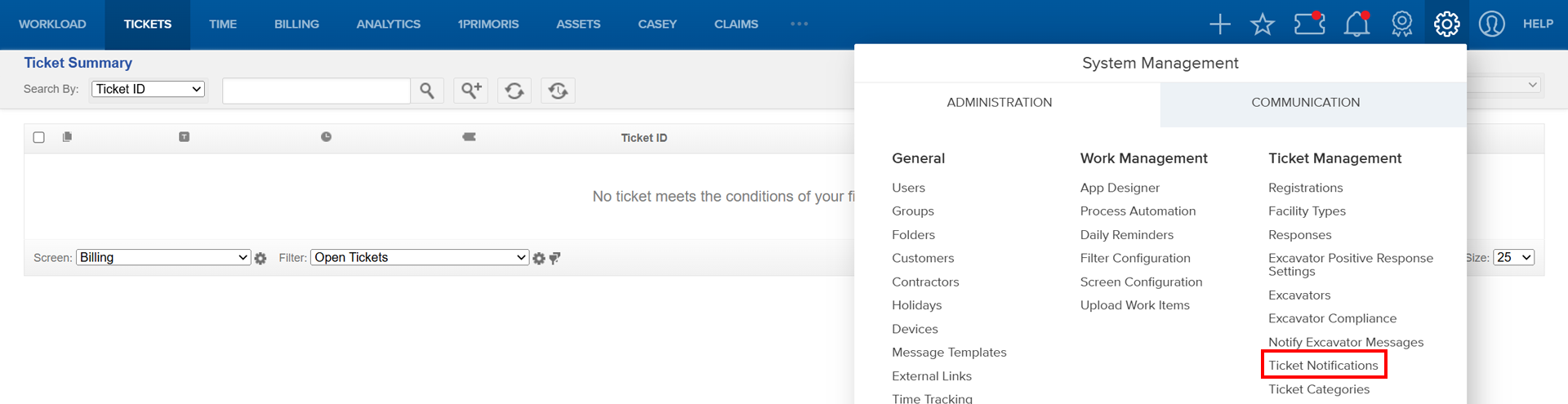
- Navigate to System Management > Administration > Ticket Management > Ticket Notifications.
- Select End of Day Audit Notifications and click Add an End of Day Audit Notification.
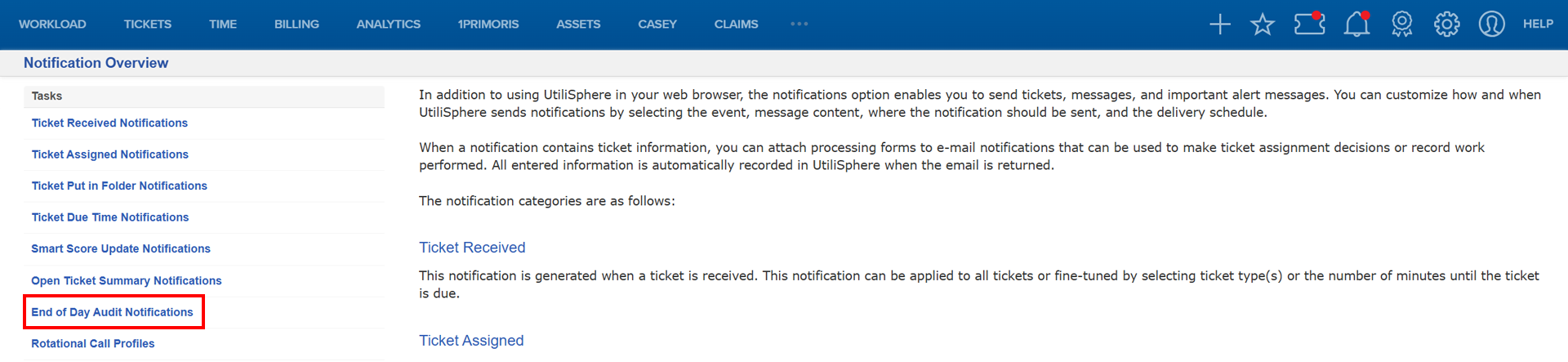

- Select your recipient and select End of Day Audit Notifications.


Select the Task you want to work on and complete the required forms.
Example:
FAQ/Troubleshooting:
Q: Why aren’t contractor responses updating tickets?
A: Check if the authentication code was recently reset. Contractors must update their system with the new code.
Q: Can contractors send positive responses to excavators?
A: Yes, enable this in Ticket Management settings for the contractor.
Q: How do I provide response codes to contractors?
A: Use Generate Contractor Response Information and share the details with the contractor.
Questions? Contact us!

Was this article helpful?
That’s Great!
Thank you for your feedback
Sorry! We couldn't be helpful
Thank you for your feedback
Feedback sent
We appreciate your effort and will try to fix the article